Terminal app (racinglines tui)
racinglines tui is the web app's tabs in a terminal, built with Textual and Rich. It
holds one MCP session and calls the same tools a chat client does (MCP server): every screen is a view of a
tool's JSON, so it shows what the server serves, nothing computed on the side.
racinglines tui                       # the hosted server, signed in as for --remote (in testing: the #aintcare warning)
racinglines tui --local [--db URL]    # this machine's database: `racinglines mcp` over stdio, owner mode
usage: racinglines tui [-h] [--local] [--db DB] [--no-jobs] [--mcp-url MCP_URL] [--user USER]
                       [--timeout TIMEOUT]

racinglines tui                          the web app's screens in the terminal, on the hosted server (docs/tui.md)
racinglines tui --local [--db URL]       the same on this machine's database: `racinglines mcp` over stdio

Hosted sign-in is `--remote`'s (cli/remote.py): RACINGLINES_MCP_TOKEN, else the browser once, kept in
~/.config/racinglines/mcp-login.json. The sign-in happens here, before the screen opens, so its URL is readable.

    RACINGLINES_MCP_URL     the hosted server (default https://mcp.racinglines.bet/mcp); --mcp-url overrides it
    RACINGLINES_USER        the account preselected on the Paper tab; --user overrides it

options:
  -h, --help         show this help message and exit
  --local            this machine's database through `racinglines mcp` (stdio)
  --db DB            with --local: the database URL (default $DATABASE_URL, else the local one)
  --no-jobs          with --local: don't run the Lab's job worker here (leave queued jobs to the
                     web app)
  --mcp-url MCP_URL  the hosted server (default RACINGLINES_MCP_URL or racinglines.bet)
  --user USER        account preselected on the Paper tab
  --timeout TIMEOUT  seconds to wait for one tool call (default 90)
Sign-in
Hosted is --remote's sign-in (CLI reference):
RACINGLINES_MCP_TOKEN (an rl_ token from racinglines mcp token ACCOUNT), else the browser once, stored in
~/.config/racinglines/mcp-login.json. The sign-in runs before the screen opens, so its URL and any 401 print in the
terminal; racinglines book logout forgets the login. The remote-access warning prints there too and shows again in
the app on connect.
--local starts racinglines mcp with the same Python, so the TUI and the server share one environment and one
database (--db, else DATABASE_URL). Stdio has no tokens: as with any stdio client, whoever runs it is the owner.
The server's stderr goes to ~/.cache/racinglines/tui/server.log, never to the screen. --no-jobs leaves queued
Lab jobs to the web app's worker.
Tabs
| Key | Tab | Tools |
|---|---|---|
| 1 | Home: row counts, next races, live forecasts, seasons, run kinds, linked markets, venues | overview |
| 2 | Forecast: the next races' win / podium / top-10 and the championship, per competition and category | get_forecast |
| 3 | Markets: fair value against each venue, the gap drawn as a bar, freshness per venue (stale after RACINGLINES_STALE_HOURS); an outcome opens its price history |
list_events, list_markets, get_market_history |
| 4 | Events: by competition, season, status; a weekend opens on results, predictions and its market matrix | list_events, get_event |
| 5 | Athletes: search; results and prediction history | search_athletes, get_athlete |
| 6 | Trade: F$ balance, tradable markets, the recorded book, the expected fill, IOC orders, positions, orders, leaderboard | fantasy_* |
| 7 | Paper: an account's track record with its cumulative P&L, positions with totals per venue, signals | track_record, list_positions, list_signals |
| 8 | Lab: jobs (refreshed every 5 s, log tail, cancel, the saved run), new jobs from list_job_types with every sweep setting, Edge Finder, candidates, diagnostics with maker replay, model runs with each metrics part one key away |
list_jobs, get_job, cancel_job, list_job_types, run_job, edge_finder, list_candidates, list_diagnostics, get_diagnostic, replay_maker, list_model_runs, get_model_run, get_predictions |
| 9 | Sportsbook: a book as TOML; map, price, settle (Sportsbook slips) | map_book, price_book, settle_book, list_kinds |
| 0 | Live: the private book's events and whether one is live now, refreshed every 30 s | list_live_events |
Data: the change log, the schema, a read-only SQL console, and racinglines data pull (run as a subprocess) |
data_changes, describe_schema, sql |
|
ctrl+n |
Notepad: the standing strategy note, today's and this week's (Claude Code) | none: files on this machine |
ctrl+o |
Model (experimental, --experimental): the Lab from scratch, every tunable step of the pipeline with the model's output before and after, ten sheets (Model workbook) |
list_job_types, list_diagnostics, get_diagnostic, run_job, get_job, replay_maker, edge_finder, list_events, get_event, get_athlete, list_markets, list_signals, list_positions, fantasy_positions, fantasy_orders, track_record |
Everywhere: r refreshes, enter opens a row, [ and ] page, esc goes back, ctrl+r reconnects, ctrl+l turns
layout mode on and off, ? lists the keys. A row that names a job, a model run (run_id, result_run_id, last_run, a change's detail.run), an event
(event_id, event_key) or an athlete opens it. Lists the server pages (signals, positions, Edge Finder, diagnostics,
the change log, SQL) page through it rather than loading everything.
Colour has one meaning each: green in our favour (fair above market, profit), red against, purple the best on the
board, amber stale. Settings (min_edge, max_stake, a sweep's knobs) print as written, never coloured as data.
Layout mode
ctrl+l turns layout mode on: a bar under the header names the layout and the splits on this tab, and a divider
shows between the two sides of each split. The other keys work as usual until esc or ctrl+l again.
| In layout mode | |
|---|---|
← → |
move this tab's side-by-side split 5% (shift for 1%) |
↑ ↓ |
move this tab's stacked split 5% (shift for 1%) |
| drag a divider | move that split with the mouse |
s |
save into the current layout (on default, asks for a name) |
a |
save as a new layout; an existing name is replaced |
n |
switch to the next saved layout |
x |
put this tab's splits back to the built-in sizes |
| Split | Tab | Sides |
|---|---|---|
trade.h |
Trade | markets ↔ book and order form |
trade.v |
Trade | markets and book ↕ positions, orders, leaderboard |
lab.diag |
Lab > Diagnostics | diagnostic runs ↔ maker replay |
book.h |
Sportsbook | the book's TOML ↔ the result |
model.strength |
Model > Strength | the grid ↕ adjustments |
model.strategy |
Model > Strategy | taker and Edge Finder ↔ the maker replay |
model.quicklook |
Model > Quick look | predictors ↔ the fit and the latest round |
model.results |
Model > Results | breakdown ↔ the Lab's strategies |
model.dash |
Model > Dashboard | P&L curve and metrics ↕ the charts |
A side gets 10% to 90%. Layouts are kept in ~/.config/racinglines/tui-layouts.json (RACINGLINES_TUI_LAYOUTS
overrides the path) with the one last used, which the next start opens in. default is built in and can't be
overwritten. Leaving layout mode without saving keeps the sizes until you quit. racinglines tui --layout NAME opens
in a saved or built-in layout.
Three more built-ins come with the Model workbook, and each one turns
--experimental on: robp opens on the Model tab and labels each sheet with Rob's own tab name ("Inputs
(rCorsi)"), with the whole key in the Model header; stratdash opens on the Model tab's Dashboard sheet; cycling
opens the Model tab on road cycling (uci_road_wt, other sports), or, on a server
that doesn't list it, on the first competition with the notice "road cycling isn't on this server (0 events): run the
TUI with --local on the Mac". None can be overwritten, and they are listed only with the Model tab on; n cycles
through them in layout mode and the bridge's tui_layout switches to them.
Claude Code
Claude Code (or any MCP client on the same machine) can see what the TUI shows, move it, and keep the notepad, through
racinglines tui bridge, a small MCP server over stdio:
claude mcp add racinglines-tui -- racinglines tui bridge
claude mcp add --transport http racinglines https://mcp.racinglines.bet/mcp   # the data, as for any chat client
Use the racinglines from the environment the TUI runs in (.venv/bin/racinglines with a full path if Claude Code
starts elsewhere). Run the TUI in one terminal pane and Claude Code in another: "why is this market amber?" or "open
that run" then mean what is on the screen.
| Tool | Does |
|---|---|
tui_context |
the front tab, each visible grid with its columns, selected row and first rows, the text strips, an open dialog, the layout |
tui_tab, tui_open, tui_select, tui_trade_search, tui_back, tui_refresh, tui_layout, tui_notify |
move the app: a tab, an event / run / job / athlete, a row (optionally opened), a Trade search, close a dialog, reload, a saved layout, a message in the corner |
notepad_read, notepad_write, notepad_list |
the notes, also with the TUI closed; writing appends unless told to replace |
Nothing here places an order, runs a pull or answers a confirmation: orders stay in the Trade tab, by hand.
How it connects. The running TUI listens on a Unix socket, ~/.cache/racinglines/tui/control.sock
(RACINGLINES_TUI_SOCKET overrides; mode 600, so only your user), one JSON line per request. --no-control turns it
off. A second TUI leaves the socket to the first and says so.
Notepad. Markdown files in ~/.local/share/racinglines/notepad/ (RACINGLINES_NOTEPAD_DIR overrides):
strategy.md, daily/<date>.md, weekly/<year>-W<week>.md. The bridge tells Claude to read the strategy, week and
day notes at the start of a session and to append dated lines rather than rewrite yours. The tab saves with ctrl+s
and reloads a note Claude changed when it has no unsaved edits. A note is not a paper lock: an event's locked strategy
still goes in paper/locks/<year>-<round>.toml (Paper trading).
Model workbook (experimental)
racinglines tui --experimental        # or RACINGLINES_TUI_EXPERIMENTAL=1
racinglines tui --layout robp         # the same, with Rob's tab names next to the sheets
racinglines tui --layout stratdash    # the same, opening on the Dashboard sheet
racinglines tui --local --layout cycling   # the same on road cycling, on the Mac's database (its data lives there)
racinglines tui --experimental --no-readme   # skip the README at launch (or RACINGLINES_TUI_README=0)
The Model tab (ctrl+o, last in the tab bar) is the Lab from scratch: every tunable step of the pipeline, with the
model's own output before and after. Each sheet is one stage of the global model with that stage's knobs, and the
numbers on it are the model's, from an event-diagnostic run (run_job("f1_diagnostic") → get_diagnostic), never a
regression fitted in the terminal. < and > move between the sheets. Without the flag the tab, its key and the two
layouts don't exist, and nothing else in the app changes.
At launch with the Model tab on, its README for Rob (racinglines/tui/model/README.md, shipped with the package)
opens in a dialog first; OK, enter or escape close it, and the command palette's readme (ctrl+p) opens it again.
The header, shared by every sheet:
- competition, season, the Quick look window (season to date or last N rounds, N, k) and the account (Wagers, Results, Dashboard);
- the sizing: one bankroll (default F$1,000) and the unit as a % of it (default 1%), every money column also in units, "units first / F$ first"; saved with the adjustments, so they survive restarts;
- event (the next race when it has a diagnostic, else the latest event that has one; from
list_diagnostics), cutoff (that event's last diagnostic cutoff,YYYY-MM-DDTHH:MMUTC), baseline run (that event's latest diagnostic; type another run id and Enter), tuned (the run the last job here saved) and Run.
Run queues f1_diagnostic for the event and cutoff with every sheet's model knobs (only the ones changed from the
defaults travel; sims, half-life, track and calibration power are the job's own knobs, the rest go in its settings),
then polls get_job every 3 s and shows "running job #31 · 0:42 · the log's last line" in the header (no dialog).
When the job is done the tuned run loads and every sheet shows it next to the baseline. One job at a time. Knob
defaults and ranges come from the server's setting schema (list_job_types().sweep_settings, groups model, taker,
maker), so the sheets can't drift from the server; an out-of-range value is refused with the range. The knobs start
from the baseline run's own settings (params.model_settings). Only F1 has an event-diagnostic job; road cycling tunes through the walk-forward
backtest (other sports); for another competition Run is off, the header says "tuning needs an event-diagnostic job for this sport", and the read-only
sheets (Race sheet live, Wagers, Results, Dashboard, Quick look) still work.
| Rob's tab | Sheet | Knobs | What it shows |
|---|---|---|---|
| rCorsi | Inputs | track_features, practice_prior | the model's input layers (results, qualifying, grid, practice, laps, sectors, from sports/f1.toml) with the event's rows per session (get_event().rounds; laps "–", no laps tool yet); per layer whether a knob switches it ("per-run layer switch: not a job setting yet" for the others); the finish model's coefficients by feature (g, g_ease, rp_rel, rp_ease, qp_rel, street_g, plus g_log when the grid is known) tuned, baseline and change; sigma; Brier and log loss per kind, model against the exchange at the cutoff, tuned against baseline |
| 1617 stats + Rankings | Strength | half_life_days, ridge_team, ridge_slope, driver_prior_n, reset_weight, variant | per driver win / podium / top 10 / expected points, tuned, baseline and the change (green up, red down), sorted by win; vs mate (the driver's expected points minus the teammate's, in points; win probability for a run without expected points); a constructor roll-up (the sum of its drivers'); grid penalties and car changes as notes; the driver swap dialog |
| goalies | Simulation | sims, teammate_corr, finish_rho_scale, seed, track_features | the same grid, sigma, and the coherence check: each kind's probabilities summed against what they should sum to (1 winner, 3 on the podium, 1 top constructor), red when off |
| Calibration | calib_power (walk_forward, a number from 1 to 10, or off) | the scores before and after; a reliability strip: the run's win probabilities binned (0-5%, 5-15%, 15-30%, 30%+) with the hit rate from the result ("one event: n is small") | |
| Schedule | Race sheet | tiers | the tuned run's markets (else the baseline's): fair, the exchange at the cutoff (pm_cut), edge, side, units by tier, stake, ★, the run's paper side and paper P&L; or any event's live list_markets as before (pick it in the event list); Enter searches Trade |
| Strategy | taker: min_edge, stake_per_edge, max_stake, kelly, bankroll, max_deployed; maker: half_spread, size, max_pos, skew, max_disagree | the run's paper P&L; the taker on the run's markets at the cutoff price (computed here, no fee); the Edge Finder's season sweeps (edge_finder); Replay maker re-quotes the tuned run against the real tape (replay_maker, nothing stored). These knobs never queue a job |
|
| Wagers | Wagers | source, filters | every bet from paper fills, positions or hand trades: entry, fair, close, CLV in points and %, result, stake and P&L |
| Tracking | Results | breakdown | the track record, hit rate, % beat close, ROI by CLV sign, breakdowns by constructor, driver, kind, strategy, venue or event, the Lab's strategies |
| Dashboard | the account's paper trades: cumulative P&L, totals, a weekday × hour heatmap, entry prices, kinds, sizes, daily volume | ||
| rSC | Quick look | target, predictors, N, k | a side-car, not the model: a least-squares fit of the next finish on simple stats from earlier rounds (grid, form, season, prior season, car, teammate delta, DNF rate, gains per lap, chase, sprint; laps led waits for a laps tool), R² each and together |
Adjustments (Rob's injuries): a grid penalty (driver, places or "back", reason) or a car change (constructor,
delta, note), added on Strength, x removes the selected one. They live in
~/.local/share/racinglines/notepad/model/adjustments.json (under RACINGLINES_NOTEPAD_DIR) and show as notes on
Strength and the Race sheet; the model doesn't read them yet, so the numbers stay the run's.
Driver swap and reserves (Rob's goalie swap, a dialog on Strength): a side-car estimate on Quick look's ratings,
not the model. Replacement level is the mean rating of the field's bottom quartile; a reserve with race rows in
get_athlete is shrunk hard to it (k = 20), one with none is replacement level ("replacement level, no data").
CLV follows racinglines backtest clv: direction × (close − entry), both as the YES price, direction +1 for YES
exposure and −1 for NO; % is that over the price paid, matched by the exact event_key and market_key.
Computed here, not by the server: the before/after tables, the roll-ups, the reliability bins, units, stakes, the taker on a run, CLV, every chart and the Quick look fit. The prices, coefficients, scores, coherence and P&L are the server's, as served. The one write is Run: it queues a research job (a diagnostic run, never the live prices); nothing here orders, and Enter on a Race-sheet row only fills Trade's search.
Limits: expected points come from get_diagnostic's predictions (exp_points: the stored column, else the row's
extra); a run without them shows no such column and "vs mate" falls back to win probability. The live server's f1_diagnostic takes the model settings once the matching
server change is deployed; until then only its own knobs (sims, half-life, track, calibration power) can be tuned, and
the others are greyed out with that reason.
Other sports on the Model tab
A sport with no event-diagnostic job tunes through the walk-forward backtest when it is a results-only sport on the
one engine: its schema's [model] inputs are just results and the server's walk_forward job lists it. Today
that is road cycling (road_cycling, competition uci_road_wt, racinglines tui --local --layout cycling); the
others (MotoGP, NASCAR, downhill) keep Run off with "tuning needs an event-diagnostic job for this sport". For such a
sport the sheets say Rider and Team instead of Driver and Constructor (headers, the roll-up, the swap and adjustment
dialogs; the ids and keys are unchanged), and:
- Header: the event list is the season's events from
list_events(scheduled first, then completed); there is no cutoff (the input is off: "no cutoff: the forecast is as of its data_through"); baseline run is the competition's newestforecastrun (list_model_runs, editable), and the header says what Run does: "Run queues walk_forward (global model, 2026) · settings travel only on the Mac CLI". - Strength and Simulation: the forecast run's win / podium / top 10 per rider for the picked event
(
get_predictionsby the event's exact target; an event the run doesn't price says so, nothing is filled in). The knob bar shows the schema's[model.defaults]read-only (sims, half_life_days, prior_weight, noise, uncertainty, dnf): a priori, untuned (decision log 2026-10-12); change them on the Mac by editingsports/road_cycling.tomland runningracinglines model forecast cycling --save --backup FILE. The forecast has no expected points and its prediction rows carry no team, so there is no expected-points column and the team roll-up and "vs mate" are "–". - Inputs: the layers from the schema (results only) with the event's coverage (
get_event().rounds), "the one engine fits rider strengths, not feature coefficients" in place of the coefficients, and the walk-forward run's mean score per kind (−1000 × log loss per event, higher is better), tuned against baseline. - Calibration: the competition's newest
walk_forwardrun (get_model_run(path="metrics.calibration")and"metrics.weekends"): its calibration table as the server stores it (n, ece, kind, brier, season, source, log loss), with the change in brier, log loss and ece against the baseline run when both have the row (matched by kind, season and source), and each kind's mean score in the head. The reliability bins stay "–": there is no result join for a forecast run.get_model_runpages a list at 50 rows; a longer run's scores say they are over the first 50 events. - Run queues
run_job("walk_forward", {sport, model: "global", venue: "none", seasons: "<season>"}), follows it in the header as F1's does, and loads the run it saved as tuned (the run that was newest becomes the baseline); Inputs and Calibration then show tuned against baseline. - Race sheet:
list_marketsfor the picked event as for any event; none linked shows "no linked markets for this event (Kalshi lists only the grand tours)". Wagers, Results and Dashboard are unchanged; Strategy's maker replay needs a diagnostic run, so it says so.
The production server has no road cycling events or runs yet: the data (ProCyclingStats results, start lists) and the
forecast runs are on the owner's Mac, so this runs with --local there.
Trade
Orders are fantasy F$ and reach no exchange (fantasy_order). Before one is sent the TUI shows the fill walked from
the recorded book (at most 10 levels, at or better than the limit) and asks to confirm. It blocks an order on a book
older than the server's max_age_min (15), a buy over the max_stake cap (F$100) or beyond the cash, and gives each
order a fresh client_key so a retry can't fill twice. "Search Trade" on a market outcome fills the Trade search
with its subject: a search, not a link, since a fantasy market and a matrix outcome share no exact key. The same
rule holds in the market screen's price history: it is fetched by the venue's token, else by athlete_id (with the
row's exchange when it has one), and an outcome with neither shows "no exact key" rather than a name match. The
Trade book refreshes every 20 s only while the Trade tab is in front.
Data > Pull writes your database
Pull runs racinglines data pull SPORT as a subprocess and writes to the database it names. The TUI asks first,
showing the command and the database URL (password hidden), and makes no backup itself: take the dump before you
confirm, as in Data changes (data/backups/db/racinglines-before-<task>-<UTC time>.sql.gz). The pull
is terminated if its worker is cancelled or the app quits.
Lab: a sweep from an Edge Finder row
An Edge Finder row opens its season recap and the settings that differ from the defaults (changed_settings for its
settings_key). "Queue a sweep with these settings" fills the F1 sweep form with them and the row's year and venue;
only changed fields are sent with run_job. Edge Finder rows don't name a sport: for a NASCAR or MotoGP configuration
pick nascar_sweep or motogp_sweep before queueing.
Limits
track_recordhas no offset: past about 68 weekends the server cuts the page, and the equity curve says how many of the total it covers.get_eventcarries the newest 60 predictions;search_athletesreturns one page.- Web features with no MCP tool are not here: promoting a scenario to the live prices, following a strategy (#218
adds it to MCP), account settings, and the private book's house markets and bets (readable with
sql). - The
fantasy_orderresult readsstatus,filled,avg_price,feeandreason; it was the one tool not called against the live server while building this (it places a real F$ order).
Troubleshooting
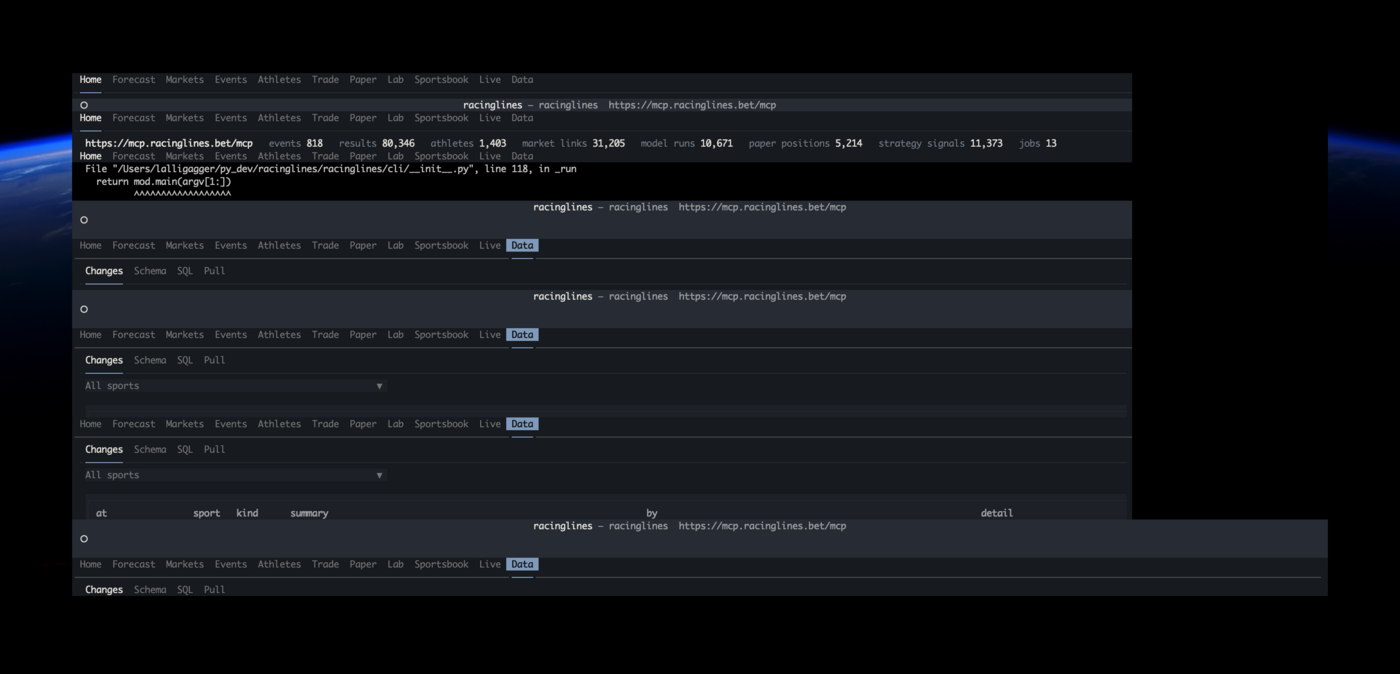
Stacked headers, a traceback behind the app, the screen scrolled (the owner's terminal on 2026-10-18, below):
something wrote to the terminal while the app owned it, and the terminal scrolled under Textual's drawing. esc
repaints the screen; r refreshes the tab as well. If the screen stays wrong, q, then clear, then relaunch.
Since that day the app sends its own stderr and every library's logging to ~/.cache/racinglines/tui/tui.log
(RACINGLINES_TUI_LOG_DIR moves it) and says so on exit when anything was written, so a traceback can no longer
land on the screen; the log says what failed.
map_book refuses the sample book. The Sportsbook tab's sample is a book file (Sportsbook):
[book] needs venue, event, captured_utc, source, odds and currency, and every [[lines]] entry its
title, selection, odds and market key. The sample is captured at the time the tab opened; edit the rest.
"No database event for '20261002_mtb'" from a Live tab row: that run folder is a private-book live event that was
never ingested as a database event, so there is no event page; the screen shows the row instead. esc goes back.
Tests
python -m pytest tests/test_tui_*.py (no network, no database): payload parsing and the book walk, a real MCP stdio
round trip (tests/tui_stub_server.py), the CLI wiring, and every tab driven headless against payloads captured
from the hosted server on 2026-10-16 (tests/tui_fixtures.py). TUI_SHOTS=<dir> saves an SVG of each screen. The
Model workbook's pure pieces are tests/test_tui_model_stats.py and tests/test_tui_model_run.py, and its sheets
tests/test_tui_model.py (FakeBackend(model=True) serves a small hand-written season, two diagnostic runs in the
live shape and a job that finishes on its second poll, by their arguments). Road cycling's are tests/test_tui_model_cycling.py
(the cycling layout, a forecast run, two walk-forward runs in the shape get_model_run serves, all made up, and
the walk_forward job).